
Vector design for cutting and digital products

Custom SVG Design With Clean, Practical Paths

Original vector files built for a named machine, material, software, and output size.

Clean geometry, organized layers, useful export formats, minimum-size inspection, and transparent compatibility limits for makers and digital-file sellers.

Packages from
$175
Starting delivery
4–6 business days

Free quote within 12 hours · No call required

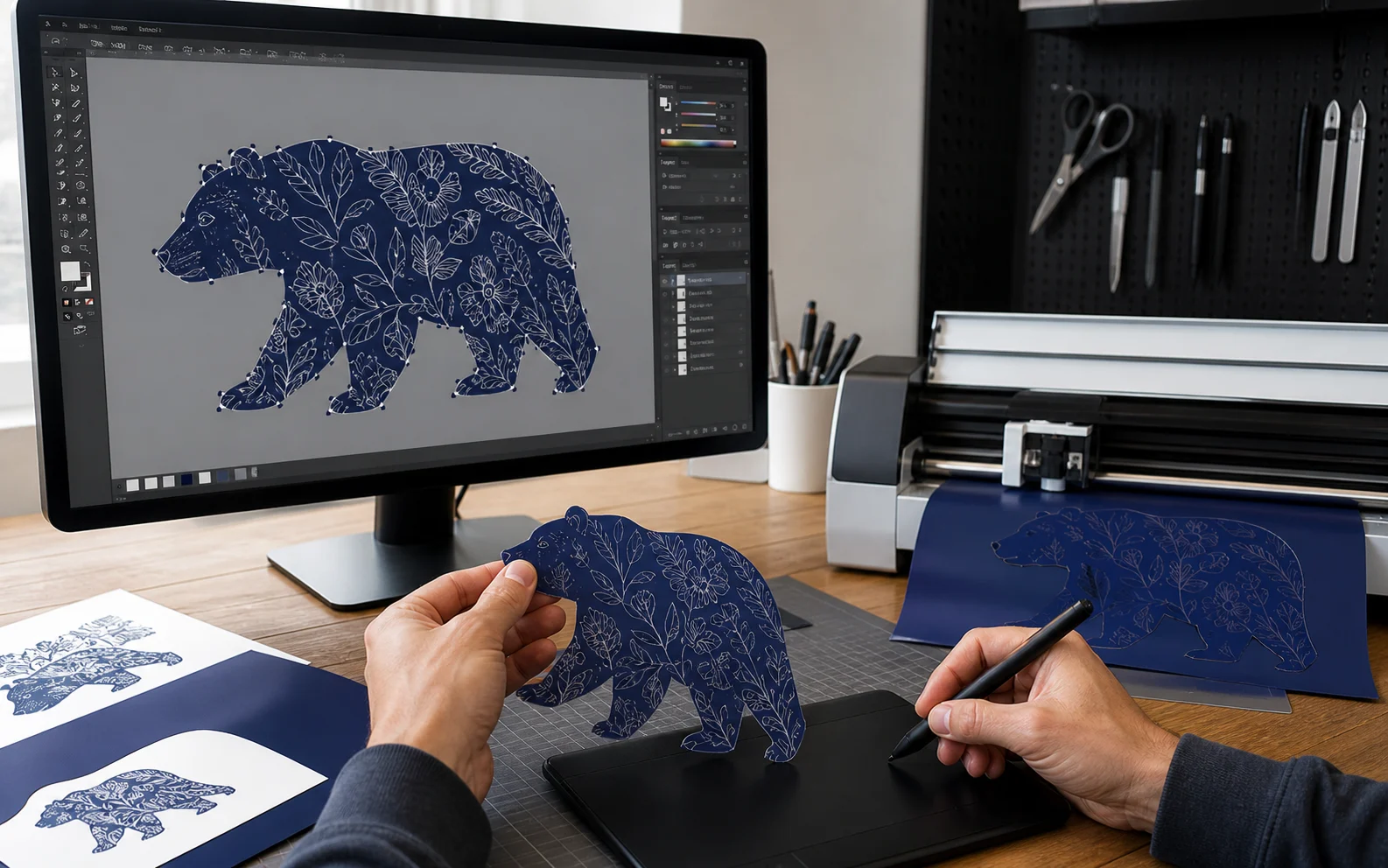
A vector designer inspects layered SVG artwork, path geometry, and cutting-machine test materials.
Workflow proof Paths, layers, and minimum-size behavior checked for the confirmed workflow.

Prinil studio facts

200+POD brands served
500+Original designs shipped
200,000+Products sold
4.9Average client rating

Custom SVG Design for Cricut, Cutting Machines & Digital Shops

Prinil creates original custom SVG designs for Cricut-style workflows, cutting machines, craft products, digital-download shops, and scalable print applications. Each project confirms the target software, machine, material, output size, layer behavior, color plan, and operator needs before vector production begins.

Files are visually inspected for clean paths, closed shapes, layer organization, minimum-size behavior, and the export formats named in the package. A physical machine or material test is only included when it appears in the written scope; otherwise tested and untested compatibility limits are stated clearly.

Know exactly what you’re buying.

Original vector artwork

Designs are built as practical paths for your confirmed use—not auto-traced from someone else’s artwork.

Clean file structure

Paths, compound shapes, colors, layers, names, and export formats are organized for the agreed workflow.

Stated test limits

Visual inspection and any included machine or material test are recorded without a universal compatibility claim.

Choose a complete SVG pack for your next collection.

Every pack states the design count, themes, formats, path checks, reviews, license, and delivery schedule.

Need a different scope? Request a custom option

Package 1

Maker Pack

A small themed release or product test.

$175one-time

Delivery
4–6 business days
Review
2 revision rounds

Your package includes

  • 5 original SVG designs
  • Clean paths and organized layers
  • SVG, PNG, DXF, and EPS exports
  • Minimum-size visual inspection
  • Standard commercial-use license

Physical machine tests, extra formats or layer variants, and exclusive rights are optional add-ons.

Choose Maker Pack

Package 3

Catalog Pack

A larger ready-to-list vector catalog.

$780one-time

Delivery
12–18 business days
Review
2 rounds per direction

Your package includes

  • 30 original SVG designs
  • Up to 5 coordinated themes
  • SVG, PNG, DXF, and EPS exports
  • Batch QA and file organization
  • Priority production queue

Physical machine tests, extra formats or layer variants, and exclusive rights are optional add-ons.

Choose Catalog Pack
Booking50% to book · 50% before final handoff
Rights & ownershipStandard commercial-use license; exclusive rights quoted separately
Not includedUniversal machine compatibility, physical materials, listing copy, shop uploads, fonts, stock, or unlisted test cuts
Available add-ons and package assumptions
  • Physical machine/material test: quoted by setup
  • Extra format or layer variant: from $10/design
  • Exclusive rights: quoted by catalog size

Packages assume one confirmed software and machine context, standard path complexity, one decision-maker, standard scheduling, and consolidated feedback.

Need another format, test, or catalog size?

Share the software, machine, material, dimensions, formats, layers, testing requirement, and quantity for a custom vector scope.

Request a Custom SVG Scope

Need more detail before choosing?

Review fit, scope, inputs, review points, responsibilities, and the complete handoff after comparing the package options.

The problem this service solves

An image can look correct on screen while creating doubled paths, fragile bridges, excessive nodes, trapped negative space, or confusing layers in production. SVG quality depends on the target machine, software, material, scale, and editing expectations—not the file extension alone. Input quality means naming the intended action: resize, recolor, personalize, cut, engrave, score, print, or hand to another editor. The target software version, machine if relevant, material, output dimensions, minimum feature, layer or color logic, and operator experience affect what must be simplified or separated. A screenshot or raster reference may communicate appearance but cannot establish clean source geometry, ownership, or the construction needed for production.

Good fit / not a fit

Good fit

  • You know the intended editing, cutting, engraving, or print workflow.
  • You need original vector geometry with an organized layer and export plan.
  • You can provide target software, machine, material, and minimum-size context when relevant.

Not a fit yet

  • You need guaranteed compatibility with every machine, material, software version, or operator setting.
  • You want copyrighted art or a marketplace competitor’s cut file traced.
  • You need a painterly image or complete apparel concept rather than vector engineering.

Scope and handoff

Deliverables

  • A vector brief naming target use, software, machine, material, scale, and layer needs.
  • Original vector composition with deliberate path, bridge, and negative-space decisions.
  • Organized layers and naming appropriate to the approved editing workflow.
  • Agreed SVG and companion export formats prepared to the confirmed specification.
  • A test note describing checks performed and conditions that were not tested.
  • A layer and object manifest identifying master artwork, cut or print groups, personalization fields, compound paths, editable text treatment, and companion exports.
  • A node-level QA view showing representative joins, counters, bridges, overlaps, open-path checks, and minimum-detail decisions at the scoped output size.

Exclusions

  • Universal machine, software, material, or scale compatibility.
  • Physical production, test materials, shipping, or device troubleshooting unless expressly scoped.
  • Unlicensed tracing, logo cleanup without authorization, or legal clearance.
  • Apparel strategy, mockups, listings, or broader illustration not named in scope.

How the work is approached

Prinil builds the vector around the intended workflow, simplifies nodes without flattening necessary character, checks closed paths and overlaps, protects bridges and negative space, and organizes layers for the person who will edit or produce it. Physical cut evidence is described only when a real test occurred. Geometry is reviewed at the smallest named output as well as enlarged at node level. QA looks for stray points, open paths, duplicate shapes, unnecessary clipping masks, accidental fills or strokes, self-intersections, fragile islands, trapped counters, overlapping cut lines, inconsistent winding, and text that depends on an unavailable font. Layer names and color groups reflect the approved operator workflow rather than the designer’s private working history. Import or cut tests, when included, record the file version, software, machine, material, size, settings supplied for context, and observed result. A passed test is evidence only for those conditions. If a requested personalization, material change, or smaller output breaks bridges or legibility, the exception returns with the affected geometry and available choices instead of being labeled universally compatible.

From intake to handoff

  1. Name the production context — Record the intended action, target software, machine, material, output sizes, color or layer behavior, personalization needs, companion formats, and operator expectations. The brief also identifies source ownership and whether supplied raster art requires cleanup, reinterpretation, or a new design rather than automatic tracing.
  2. Engineer the geometry — Build original paths with deliberate nodes, joins, bridges, counters, negative space, separation, and layer naming. The construction follows how the file will be selected, recolored, cut, engraved, printed, or personalized. Decorative complexity is removed only when the production reason and visual tradeoff are understood.
  3. Inspect and test — Review at minimum size, inspect layers and paths, run the scoped digital checks, and document any real import or physical test with its exact file, software, machine, material, size, and conditions. A failed import, fragile feature, or changed material is logged as an exception requiring repair, simplification, or owner acceptance.
  4. Export with limits stated — Deliver the approved master, SVG, companion formats, object or layer manifest, and test note. The handoff names editable text treatment, personalization instructions, software assumptions, tested context, checks not performed, and remaining compatibility limits so the next operator can distinguish a verified condition from a general expectation.

Rights, access, and security

The written agreement covers original artwork rights, permitted products and uses, authorized client inputs, editable-file inclusion, personalization rights, portfolio permission, and any third-party font, stock, or template license. A client-supplied logo or image is converted only when the client can authorize it; tracing a public image does not create permission. Files are transferred through the approved project channel with the master and exports clearly distinguished. No marketplace password, cutting-machine login, device credential, payment information, or customer list is necessary for design delivery.

Client feedback

What clients say about Custom SVG Design.

4.9Based on 20 client reviews

“180-design SVG shop, all by Prinil. Customers leave 5-star reviews mentioning the file quality specifically.”

Diana R.Etsy SVG Shop180 SVGs

“Files actually work in Design Space first try. That alone is worth the price.”

Lisa P.Cricut CrafterClean cuts

“Bulk pack of 25 holiday SVGs — done in 8 days. Sold the first one same day.”

Karen M.Etsy Digital Download25 sold

Selected feedback from Prinil’s existing client review record. Individual results reflect each client’s context and are not guaranteed.

Frequently asked questions

Will the SVG work with every cutting machine?

No universal compatibility claim is possible. Provide the intended software, machine, material, output sizes, and operator workflow so checks can be scoped and their limits documented. A file may import successfully yet behave differently when material, blade, settings, scale, software version, or operator changes. The handoff states evidence for the tested context only.

Do you test every design with a physical cut?

Only an import or physical test explicitly listed in the quote is included. When a test occurs, its file version and conditions are recorded. When no physical test occurs, the handoff identifies the digital checks performed, expected production context, untested variables, and the next operator’s responsibility before a commercial run.

Can you convert my existing image to SVG?

Conversion may be scoped when you own or can authorize the source image. Simple geometry may be rebuilt cleanly; textured, shaded, compressed, or low-resolution raster art can require interpretation or redesign rather than automatic tracing. The quote should distinguish faithful cleanup, simplified production adaptation, and new creative work.

What file formats will I receive?

The quote names the SVG and any companion formats, master-file status, layer or color logic, editable text treatment, and personalization setup. Compatibility and editable structure depend on the approved workflow. A flattened preview, print export, and organized production master serve different purposes and are identified separately.

Ready to define the vector workflow?

Tell us the machine, software, material, size, themes, formats, and any physical test you require. We will confirm the right pack.

Request an SVG Design Quote